Screenshots
Taken from a running ClearVision install. Click any screenshot to see it full size.
Live view and timeline
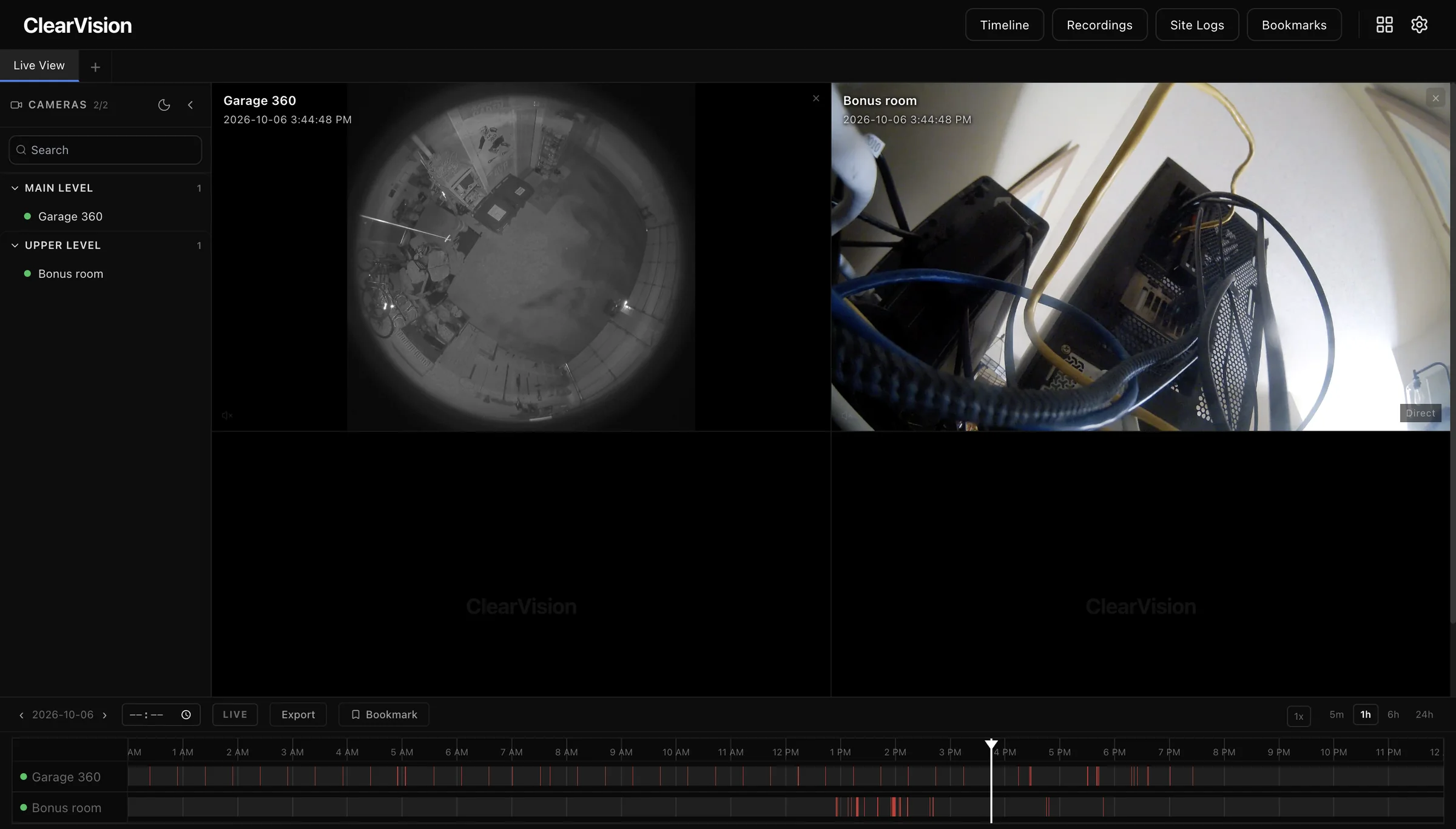
The live grid and a 24-hour timeline for every camera share one screen. Cameras are grouped by floor in the sidebar, and recorded events are marked on each camera's track.
- Cameras grouped by floor or location
- Timeline zooms from 5 minutes to 24 hours
- Jump to live, export a clip or add a bookmark from the playback bar
- Variable playback speed
Recordings
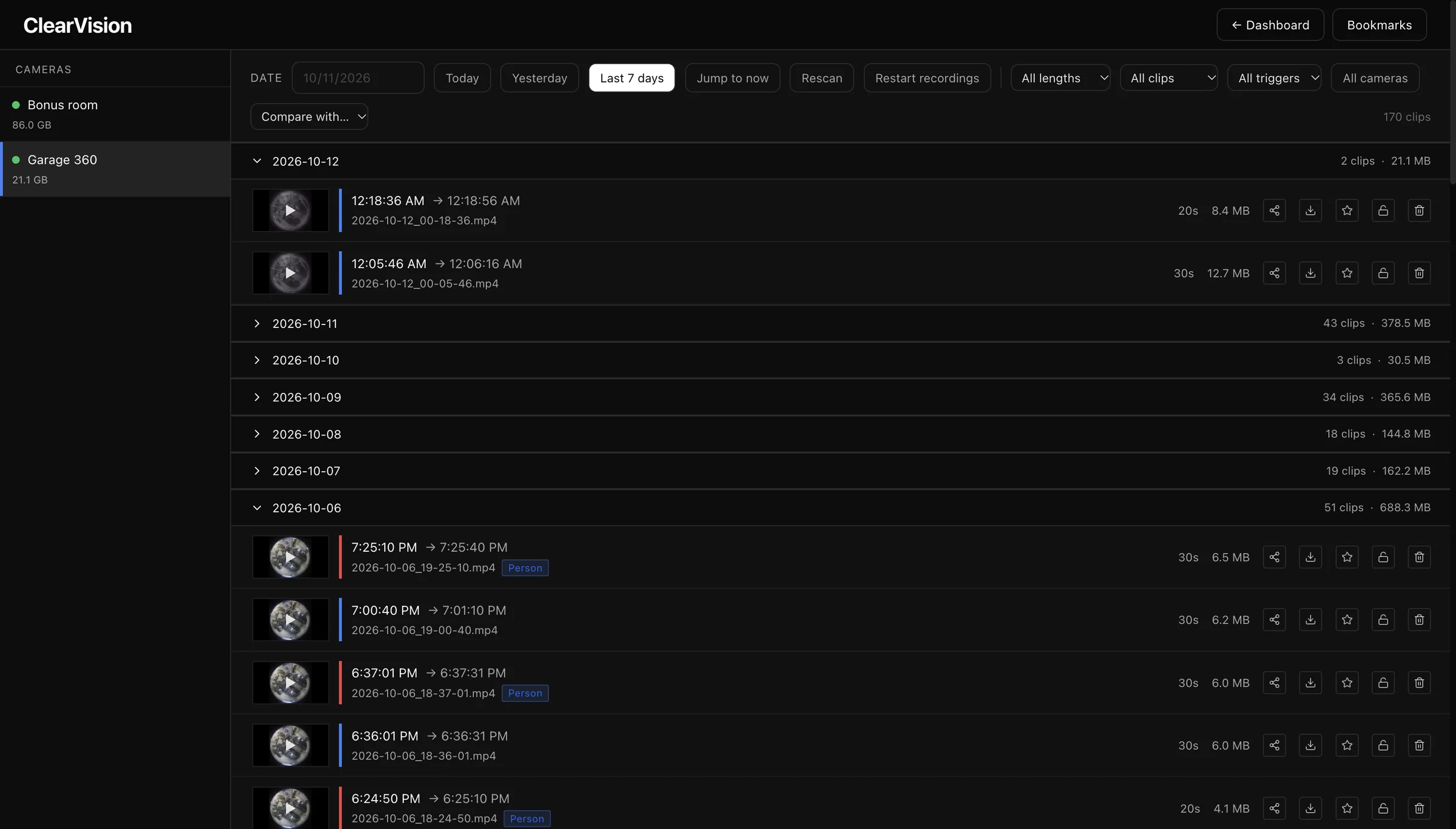
Clips are listed by day with their length and size, and the sidebar shows how much storage each camera is using. Clips with an AI detection are tagged.
- Filter by length, clip type, trigger or camera
- Today, yesterday, last 7 days or any date
- Share, download, star, protect or delete each clip
- Side-by-side compare view
Bookmarks
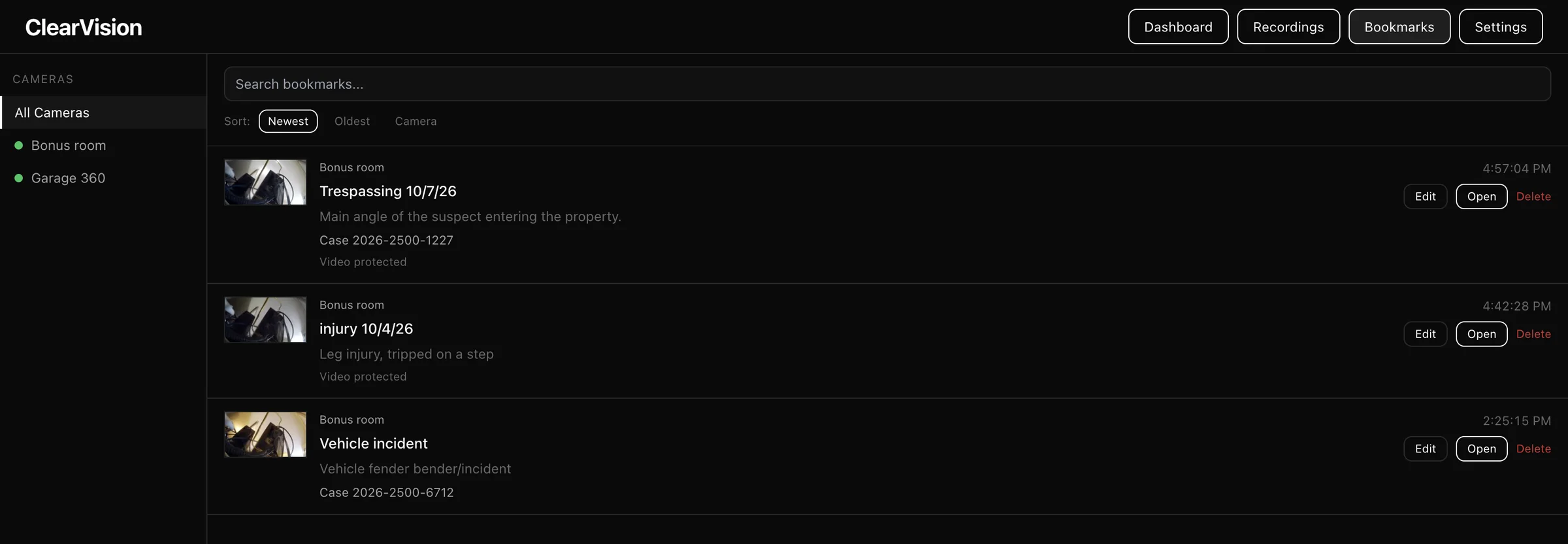
Save a moment with a title, notes and a case number. Bookmarked video can be marked as protected.
- Search bookmarks
- Sort by newest, oldest or camera
- Filter by camera
- Open, edit or delete from the list
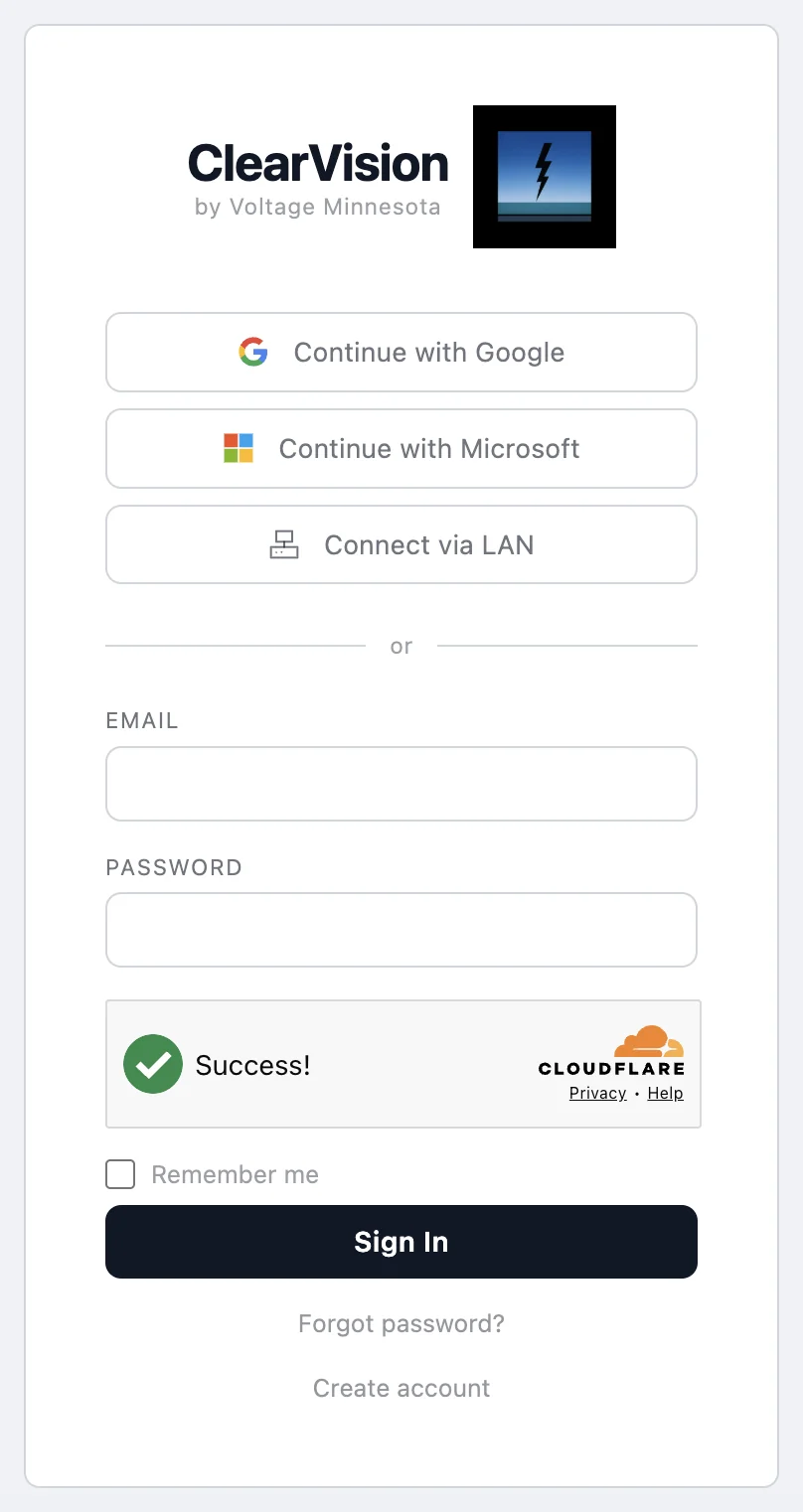
Cloud sign-in
Sign in to ClearVision Cloud at clearvision.voltagemn.com with your Google or Microsoft account, or with an email and password. Connect via LAN signs you in on your local network.
- Google and Microsoft single sign-on
- Email and password, with password reset
- Connect via LAN for access on your local network
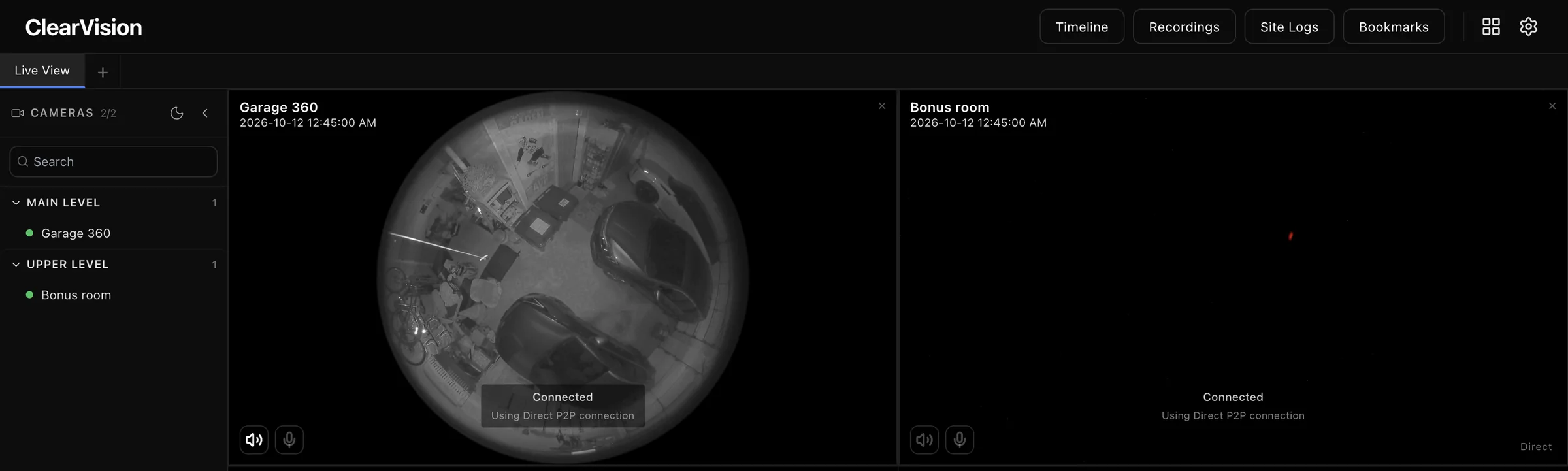
Peer-to-peer video
Video goes straight from your server to the browser over WebRTC, and each tile shows how it's connected. Remote access doesn't need port forwarding.
- Direct peer-to-peer when the network allows it
- TURN relay fallback for restricted networks
- Listen and talk back from each tile
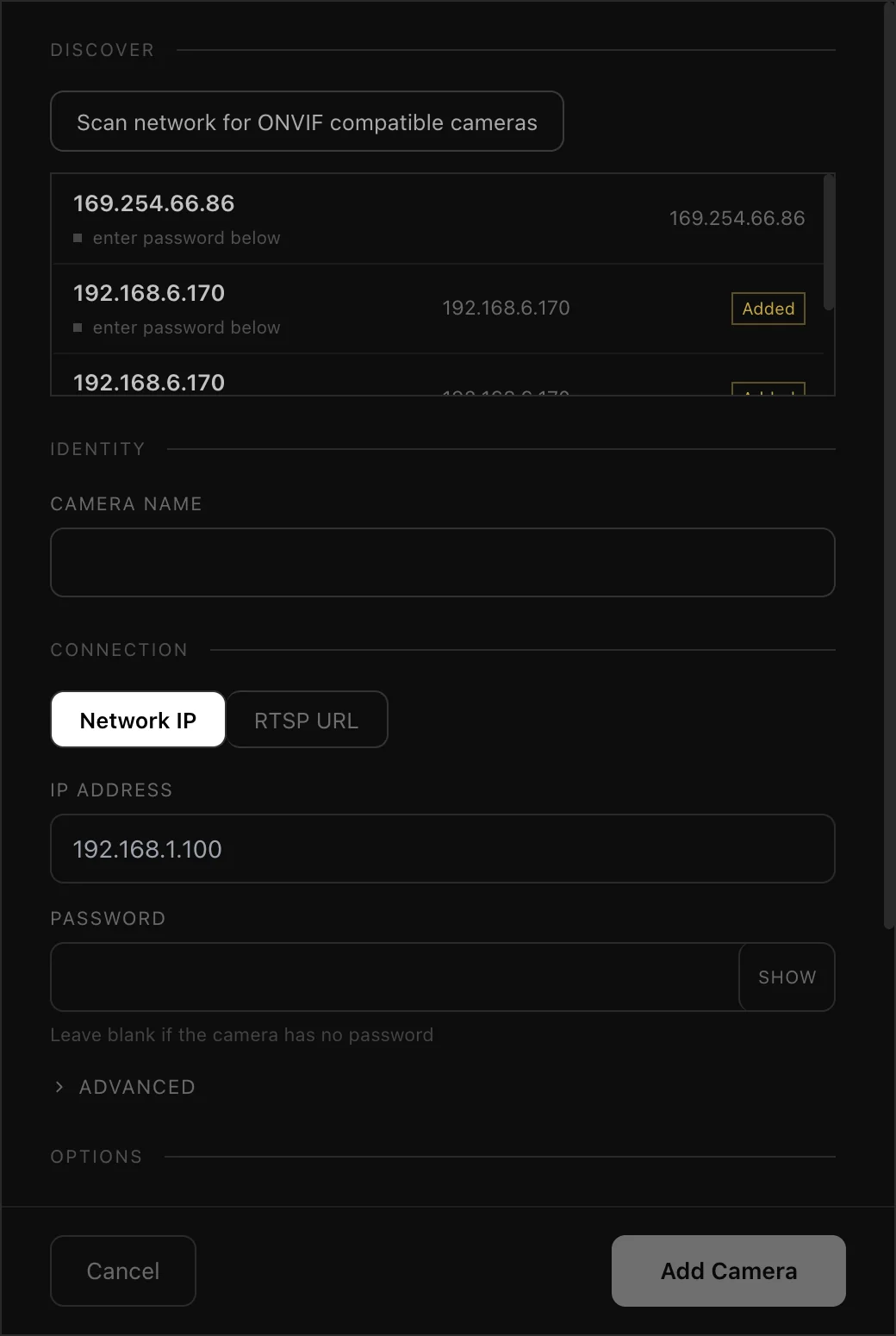
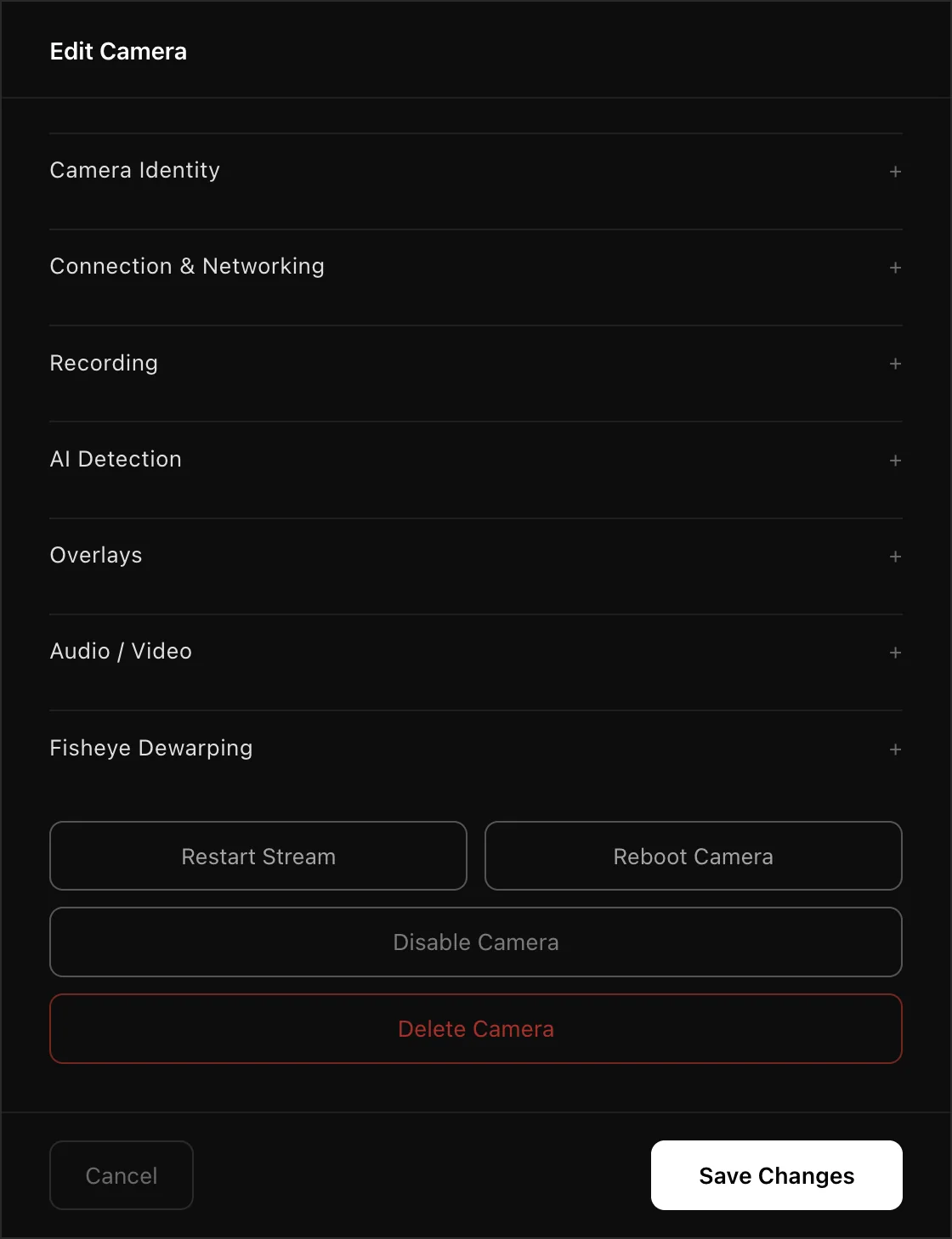
Camera setup
Scan the network for ONVIF cameras, or add one by IP address or RTSP URL. Every setting for a camera lives in one panel.
- ONVIF network scan
- Recording, AI detection, overlay and audio settings per camera
- Restart the stream or reboot the camera remotely
- Disable a camera without deleting it
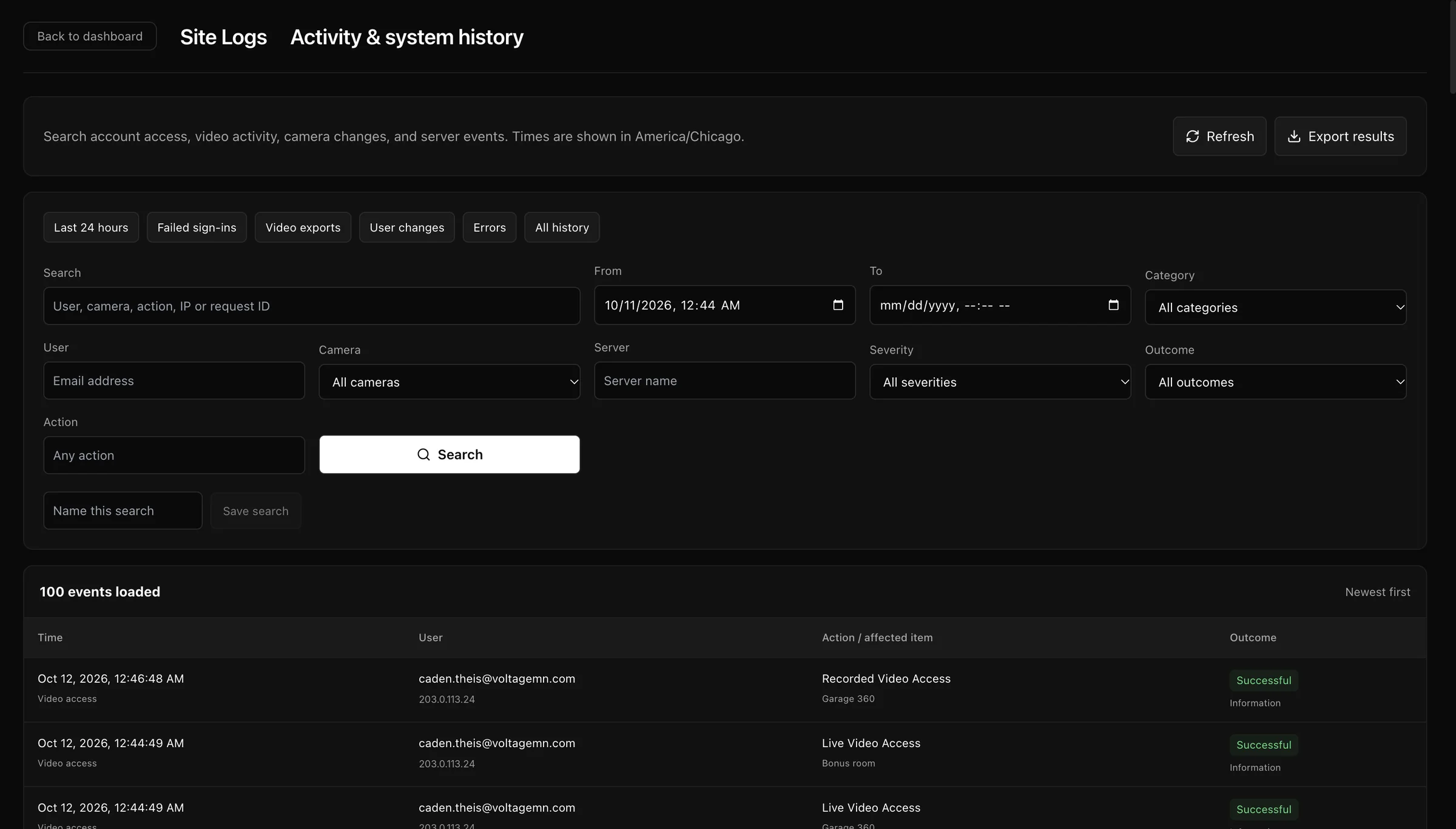
Site logs
A searchable history of sign-ins, video access, exports, user changes, camera changes and server events, shown in the site's time zone.
- Quick filters for failed sign-ins, exports, user changes and errors
- Filter by user, camera, server, severity and outcome
- IP address recorded with each event
- Save searches and export the results
Features
Live Streaming
- WebRTC peer to peer, sub-500ms latency
- H.264 and H.265 support
- Multi-camera grid with customizable layouts
- Focus mode, picture in picture
- Adaptive quality based on connection
Recording
- FFmpeg direct stream copy, zero transcoding
- Continuous, motion-triggered, or scheduled
- Segmented MP4 files with timestamp naming
- Configurable retention and storage limits
- Pre and post motion buffer
- Per-camera recording settings
Camera Management
- ONVIF auto-discovery with network scan
- Automatic default credential detection
- RTSP URL builder with live preview
- PTZ controls (pan, tilt, zoom)
- Two-way audio via ONVIF backchannel
- Camera grouping by location or floor
- Per-camera enable/disable without deleting
Playback and Timeline
- 24-hour visual timeline per camera
- Motion events shown as colored segments
- Bookmark moments with notes
- Export clips to MP4
- Side-by-side compare view
- Seek, scrub, variable playback speed
Remote Access
- One-button enable, no port forwarding
- Cloudflare Tunnel for web UI and API
- WebRTC peer to peer for video
- TURN relay fallback for restricted networks
- Direct HTTPS media server on port 8443
AI Detection (via CodeProject.AI)
- Person detection
- Vehicle detection
- Animal detection
- Configurable confidence threshold
- Per-camera detection settings
- Detection snapshots saved to disk
- Events gallery with thumbnails
- AI event indicators on camera cards
Users and Access
- Multi-user support with roles
- Admin, Operator, Viewer permissions
- Google SSO and Microsoft Entra ID
- LDAP and Active Directory integration
- Per-session timeout settings
- Failed login lockout
System
- Headless operation, no local GUI required
- Web UI served from the Go binary
- SQLite database, no external DB required
- go2rtc for stream management
- CodeProject.AI integration for AI
- Real-time CPU and RAM monitoring
- Storage usage per camera
- Automatic database optimization
- Settings export and import
- NTP sync and timezone configuration
Compatible with Hanwha, Axis, Hikvision, Dahua, Reolink, Amcrest, Uniview, Vivotek, and any ONVIF or RTSP camera.
Camera compatibility
| Manufacturer | Protocol | Auto-discovery | Auto-credentials | Notes |
|---|---|---|---|---|
| Hanwha / Samsung | ONVIF + RTSP | Yes | Yes | Tested with QNV series |
| Axis | ONVIF + RTSP | Yes | Yes | Tested with P and M series |
| Hikvision | ONVIF + RTSP | Yes | Yes | H.265 supported |
| Dahua | ONVIF + RTSP | Yes | Yes | H.265 supported |
| Reolink | ONVIF + RTSP | Yes | Yes | Some models vary |
| Amcrest | ONVIF + RTSP | Yes | Yes | Full ONVIF support |
| Uniview | ONVIF + RTSP | Yes | Yes | Standard ONVIF |
| Any RTSP camera | RTSP | Manual | No | Add via RTSP URL |
Pricing
One-time license
| Tier | Cameras | Price |
|---|---|---|
| Starter | Up to 15 | $49.99 |
| Plus | Up to 30 | $69.99 |
| Pro | Up to 64 | $99.99 |
| Enterprise | 65+, multi-site | Contact sales |
Remote access Optional, cancel anytime
| Tier | Cameras | Monthly | Yearly |
|---|---|---|---|
| Starter | Up to 15 | $8 | $70 |
| Plus | Up to 30 | $15 | $130 |
| Pro | Up to 64 | $20 | $175 |
| Enterprise | 65+ | Contact sales | |
30-day free trial included with every license. Remote access billed monthly or annually. Local access always free. For Enterprise licensing and remote access, contact info@voltagemn.com.
Comparison
| Feature | ClearVision | Blue Iris | Frigate | Arlo/Ring |
|---|---|---|---|---|
| License cost | $49.99 one-time | $69.99 one-time | Free | Subscription |
| Remote access | Built-in, 2 clicks | Port forwarding | Manual | Built-in |
| Web UI | Full featured | Limited | Basic | App + web |
| Windows support | Yes | Yes | No | Cloud |
| Linux support | Yes | No | Yes | Cloud |
| Headless operation | Yes | No | Yes | Cloud |
| ONVIF discovery | Yes | Yes | Partial | No |
| AI detection | Yes (CodeProject.AI) | Yes (CodeProject.AI) | Built-in | Limited |
| Video stays local | Yes | Yes | Yes | No |
| No open ports needed | Yes | No | No | Yes |
| Google SSO | Yes | No | No | No |
| Multi-user roles | Yes | Limited | Yes | Limited |
Join the waitlist
ClearVision is in active development. Join to be notified at launch and get access to the beta.
You're on the list.
No spam. Unsubscribe anytime.